Getting Started
Viaduct is built for teams that want GraphQL to feel easy on day one and solid on day one hundred. This quickstart gets you from git clone to a running GraphQL service fast, then shows you the two parts that matter most: writing a resolver and understanding how the service is wired.
Launch Viaduct
The fastest way to try Viaduct is the standalone ktor-starter. It gives you a small Ktor service with Viaduct already embedded, a GraphQL endpoint, and a built-in GraphiQL UI.
Before you start, make sure you have:
- Java JDK 17 or newer
- Git
- Linux, Mac, or Windows
Then clone the starter:
Start the service:
Open GraphiQL in your browser:
You will land in a GraphiQL workspace with a starter query ready to run:
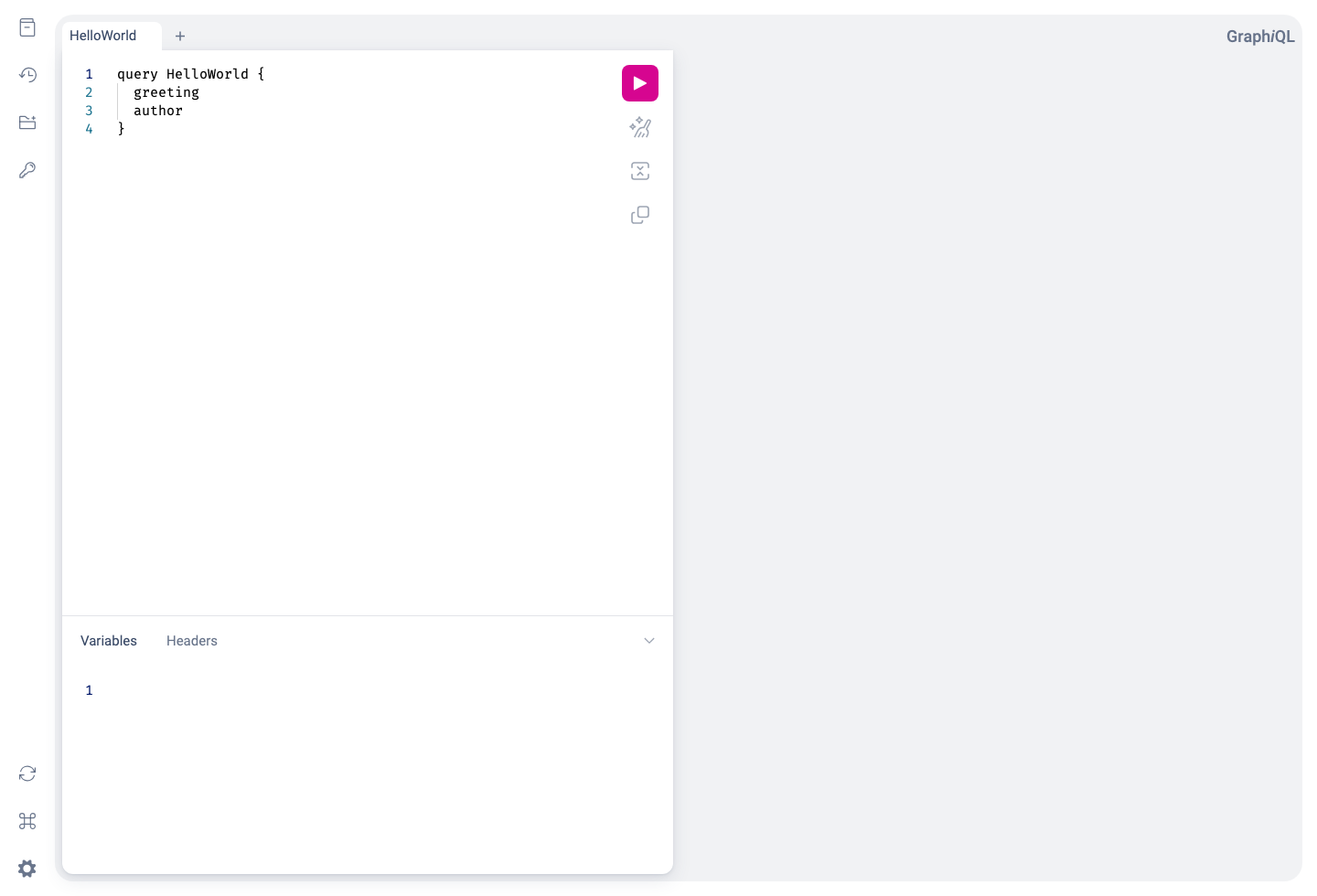
Press the play button and you'll see the result:
At this point you have a complete Viaduct service running locally: Ktor is serving HTTP, Viaduct is planning and executing GraphQL operations, and tenant resolvers are producing the response.
Understanding the Application
Now that we have a working service, let's look at how it is structured. The ktor-starter has been kept small on purpose, so you can quickly understand where the schema lives, where the resolvers live, and where to make your first change.
Project structure
The starter is split into a small web server and a tenant module:
ktor-starter/
├── build.gradle.kts
├── settings.gradle.kts
├── src/main/kotlin/com/example/viadapp/  -- web server
│   ├── Routing.kt
│   └── ViaductService.kt
└── resolvers/                            -- tenant module
    ├── build.gradle.kts
    └── src/main/
        ├── viaduct/schema/schema.graphqls
        └── kotlin/com/example/viadapp/resolvers/
            └── HelloWorldResolvers.kt
The root project hosts the web server. The resolvers project contains our tenant module, which contains the actual application code: the GraphQL schema and the Kotlin code that implements it. We'll look more deeply at the tenant module in this section, and at the web server in the next.
The schema
The schema lives in resolvers/src/main/viaduct/schema/schema.graphqls:
The @resolver directive tells Viaduct that each of these fields is implemented by application code. In practice, that means Viaduct generates base classes from the schema and expects you to provide Kotlin resolvers that fill in the values.
The resolvers
The starter resolvers live in resolvers/src/main/kotlin/com/example/viadapp/resolvers/HelloWorldResolvers.kt:
@Resolver
class GreetingResolver : QueryResolvers.Greeting() {
    override suspend fun resolve(ctx: Context) = "Hello, World!"
}

@Resolver
class AuthorResolver : QueryResolvers.Author() {
    override suspend fun resolve(ctx: Context) = "Brian Kernighan"
}
There are two important things happening here:
- Each resolver extends a generated base class such as
QueryResolvers.Greeting(). - Each resolver is annotated with
@Resolverand overridesresolve()to produce the field value.
This is the core Viaduct developer loop: define fields in the schema, implement them in Kotlin, then browse the result through GraphQL.
Writing a Resolver
Let's add a new field so you can experience that workflow end to end.
First, extend the schema in resolvers/src/main/viaduct/schema/schema.graphqls:
Next, add a new resolver to resolvers/src/main/kotlin/com/example/viadapp/resolvers/HelloWorldResolvers.kt:
@Resolver("""
  greeting
  author
""")
class AttributedGreetingResolver : QueryResolvers.AttributedGreeting() {
    override suspend fun resolve(ctx: Context): String {
        val greeting = ctx.getObjectValue().getGreeting()
        val author = ctx.getObjectValue().getAuthor()
        return "$author says: $greeting"
    }
}
The parameter provided to the @Resolver annotation is a central Viaduct feature. It declares that this resolver depends on the existing greeting and author fields. Given this annotation, Viaduct will make those values available through ctx.getObjectValue() before your resolver runs.
After making these changes, stop the running server and then rebuild and run:
Back in GraphiQL, run:
You will see the new field come to life immediately:
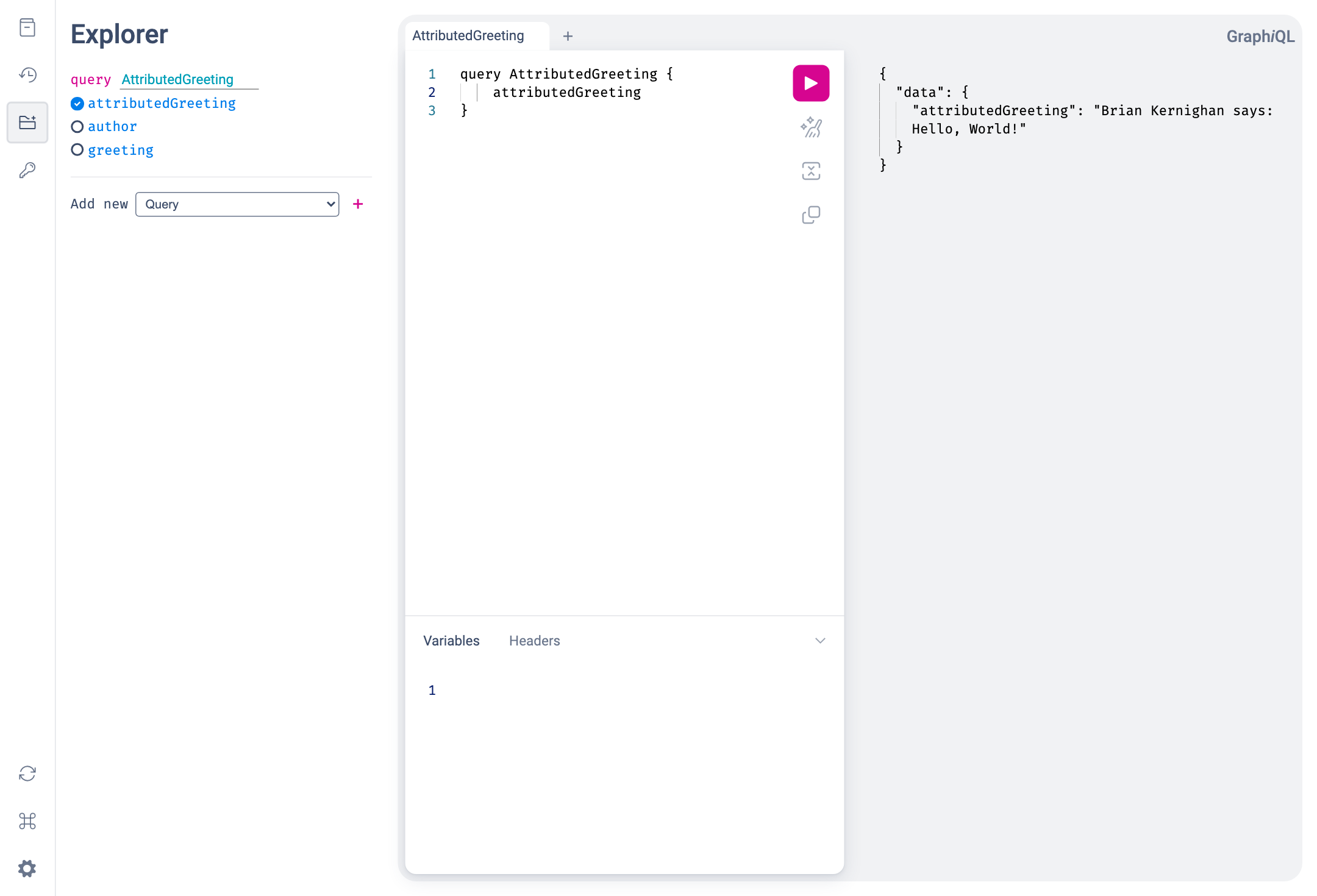
That small developer loop captures the core Viaduct experience: describe the field in schema, implement the resolver in Kotlin, and browse the result in a live GraphQL service.
Understanding the Service
If you are evaluating Viaduct for real adoption, the next question is usually not just "can I write a resolver?" but "how hard is this to fit into my stack?" Let's use ktor-starter to explore this question.
The Ktor host
The ktor-starter project illustrates how Viaduct might fit into a Ktor-based serving stack. Other Viaduct demo apps illustrate Viaduct integrating into other serving stacks, but the pattern across all stacks is similar to what we see here with Ktor.
src/main/kotlin/com/example/viadapp/ViaductService.kt is the Ktor entry point: it contains the server's main function and configures io.ktor.server.application.Application.
Routing.kt contains the GraphQL and GraphiQL routes:
// Create and initialize the [Viaduct] instance used to execute GraphQL operations
private val viaduct by lazy {
    BasicViaductFactory.create(
        scopedSchemas = listOf(SchemaScopeInfo(SCHEMA_ID)),
    )
}

fun Application.configureRouting() {
    routing {
        route("/graphql") {
            post { // Extract GraphQL operation from HTTP request and pass to Viaduct for execution
                val request = call.receive<Map<String, Any?>>() as Map<String, Any>

                val query = request["query"] as? String
                if (query == null) {
                    call.respond(
                        HttpStatusCode.BadRequest,
                        mapOf("errors" to listOf(mapOf("message" to "Query parameter is required and must be a string")))
                    )
                    return@post
                }

                val executionInput = ExecutionInput.create(
                    operationText = query,
                    variables = (request["variables"] as? Map<String, Any>) ?: emptyMap(),
                )

                val result = viaduct.execute(executionInput)
                call.respond(result.toSpecification())
            }
        }

        get("/graphiql") {
            call.respondText(graphiQLHtml(ktorStarterGraphiQLConfig), ContentType.Text.Html)
        }

        ...other GraphiQL-related routes
    }
}
The Viaduct instance is the web server's entry point into the Viaduct GraphQL engine: the web server translates its HTTP inputs into a Viaduct ExecutionInput, executes that operation, and returns the result (result.toSpecification translates the more structured execution result returned by the Viaduct engine into GraphQL-spec-compliant JSON).
The Gradle wiring
Viaduct has two Gradle plugins that orchestrate schema validation, code generation, and application packaging:
-
com.airbnb.viaduct.application-gradle-plugin- this plugin is applied to the project that will build theViaductinstance using theBasicViaductFactory(or the more full-featuredViaductBuilder). This is typically the project that contains the host web server, although it need not be. -
com.airbnb.viaduct.module-gradle-plugin- this plugin is applied to the projects that contain schema fragments and the corresponding resolvers. Projects applying this plugin must be either the same as the project that applied the application plugin, or an ancestor of that project.
In our Ktor application, the root Gradle project applies the application plugin and contains the Ktor server:
plugins {
    alias(libs.plugins.kotlinJvm)
    alias(libs.plugins.ktor)
    alias(libs.plugins.viaduct.application) // Marks this project as the "root" of a Viaduct application
}

application {
    mainClass.set("com.example.viadapp.ViaductServiceKt")
}

viaductApplication {
    modulePackagePrefix.set("com.example.viadapp")
}

dependencies {
    // Viaduct framework
    implementation(libs.viaduct.api)
    implementation(libs.viaduct.runtime)

    // Application logic from our tenant module
    implementation(project(":resolvers"))

    implementation(libs.ktor.server.core.jvm)
    ...other ktor dependencies
}
The resolvers subproject applies the module plugin:
plugins {
    `java-library`
    alias(libs.plugins.kotlinJvm)
    alias(libs.plugins.ksp)
    alias(libs.plugins.viaduct.module) // Marks this project as a tenant module
}

viaductModule {
    modulePackageSuffix.set("resolvers")
}

dependencies {
    api(libs.viaduct.api)
    implementation(libs.viaduct.runtime)
}
This example has just one tenant module, but your Viaduct application can have multiple tenant modules, allowing different teams to own different parts of the overall Viaduct schema. The host service, in the meantime, handles the concerns that usually matter to platform-minded teams: web framework integration, runtime configuration, dependency injection, observability, and deployment.
What's Next
- Want to go deeper on resolver patterns, generated code, and schema features? Head to Developers.
- Want to understand runtime configuration, multi-tenancy, and operating Viaduct in a real service? Head to Service Engineers.
- Want to keep experimenting? Replace the demo fields with a real backend call and keep using GraphiQL as your feedback loop.